
First we will create the bat files that invokes sql, the content should be like this:
sqlcmd -S [SERVER_NAME]\SQLEXPRESS -E -Q "BACKUP DATABASE [DB_NAME] TO DISK='C:\helpdesk\backups\helpdesk.bak'"
Save this file with .bat extension, i.e. backups.bat
Launch Windows Task Scheduler (Control Panel/Administrative Tools/ Task Scheduler):

Click on Create Task:

Give a name to the new Task and click on actions:
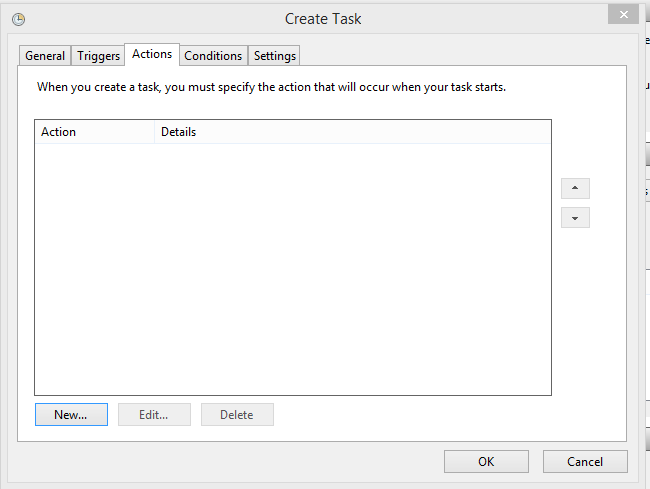
Add an action selecting the bat file created at the beginning of this article by clicking on "Browse":

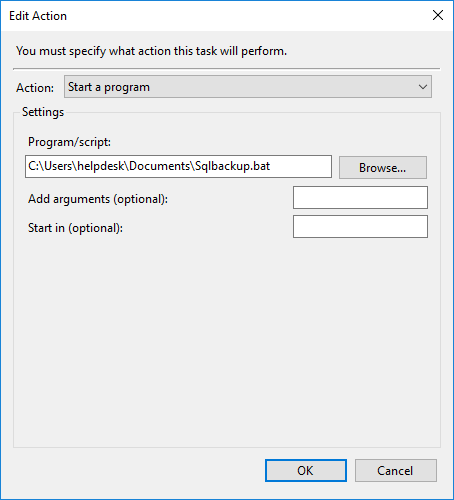
The result should look like this:
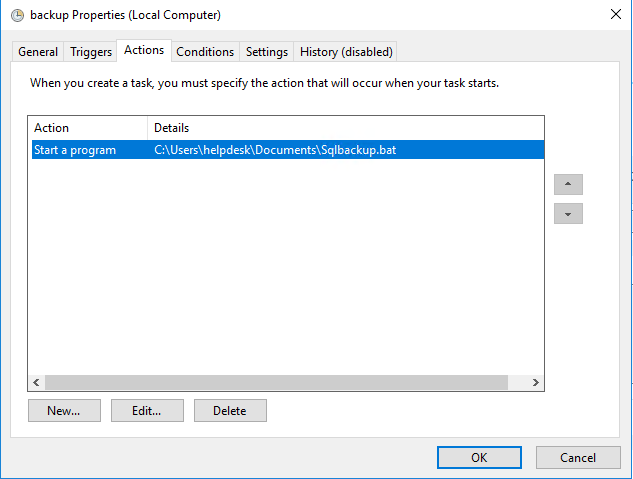
Now we will determine when the scripts will be executed, for this purpose click on Triggers tab:

Clicking on New we can select how often the backup will be created and what time, for example every Sunday at 15:22:
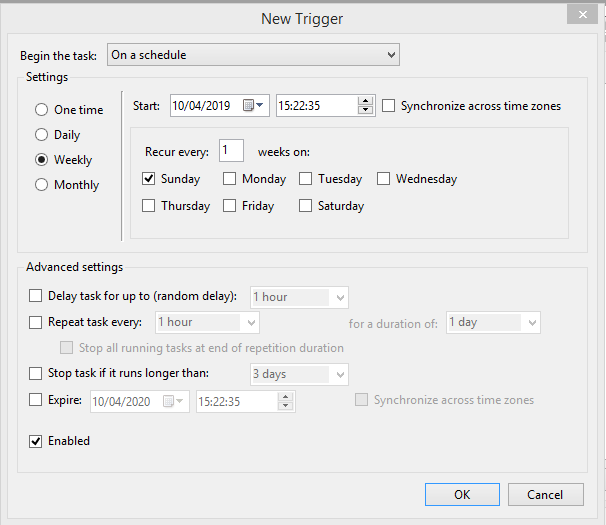
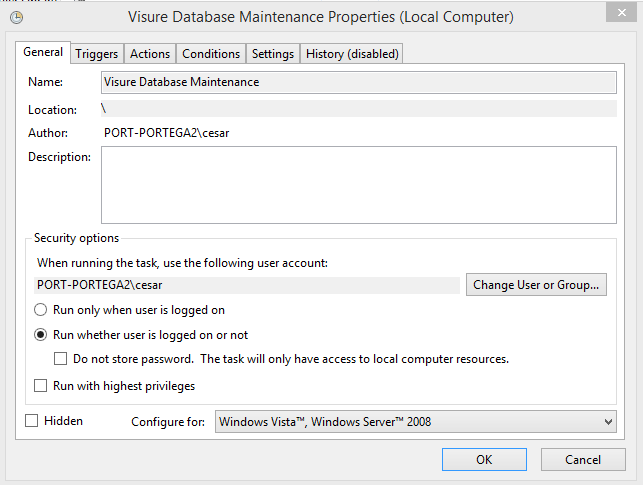
Click on ok and select "Run whether user is logged or not :
And check the tasks library for ensure the new task is there:

Comments
0 comments
Please sign in to leave a comment.