
Visure Report Manager requires .NET Framework 2.0 to work.
If this framework is not installed, Visure Report Manager will display the following error message:
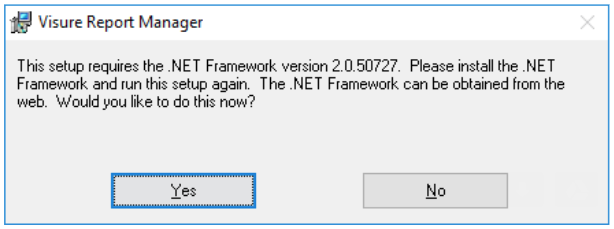
This framework is provided as a redistributable component along with the Visure Report Manager installation package.
The solution to enable this version of .net framework depends on the O.S.:
Windows 10:
-
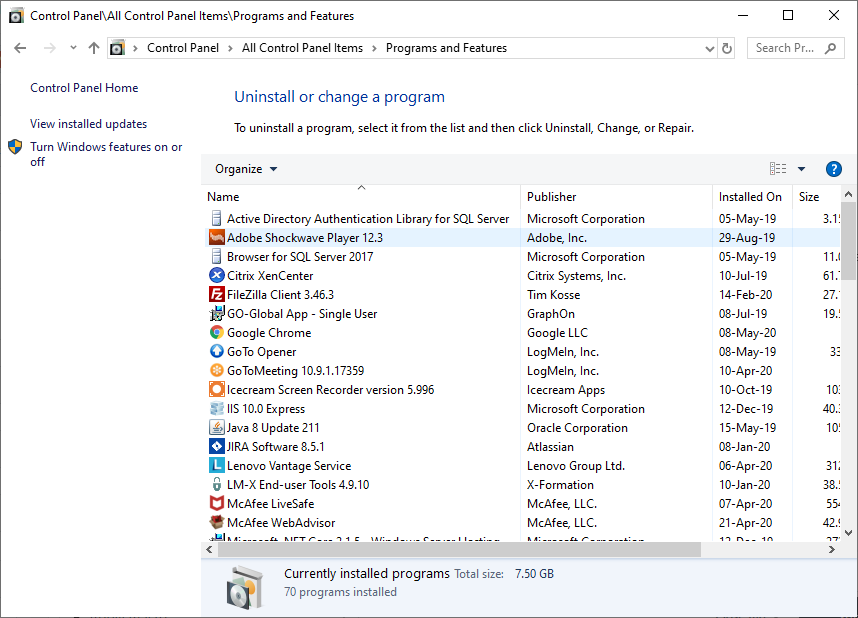
Open control panel and click on Program and Features.On program and features window click on "Turn Windows features on off":
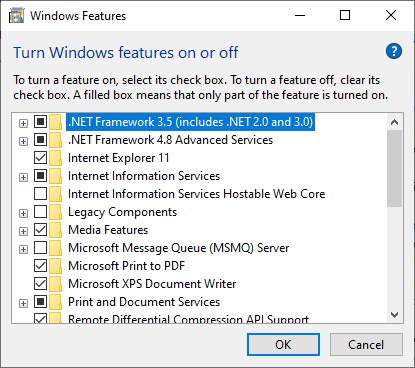
- Enable the first check box ".NET Framework 3.5 (includes .NET 2.0 and 3.0"
Launch Visure Report Manager installer again
Windows Server 2012,2016:
.NET Framework is an existing feature in Windows, and needs to be enabled. Follow these steps to enable it:
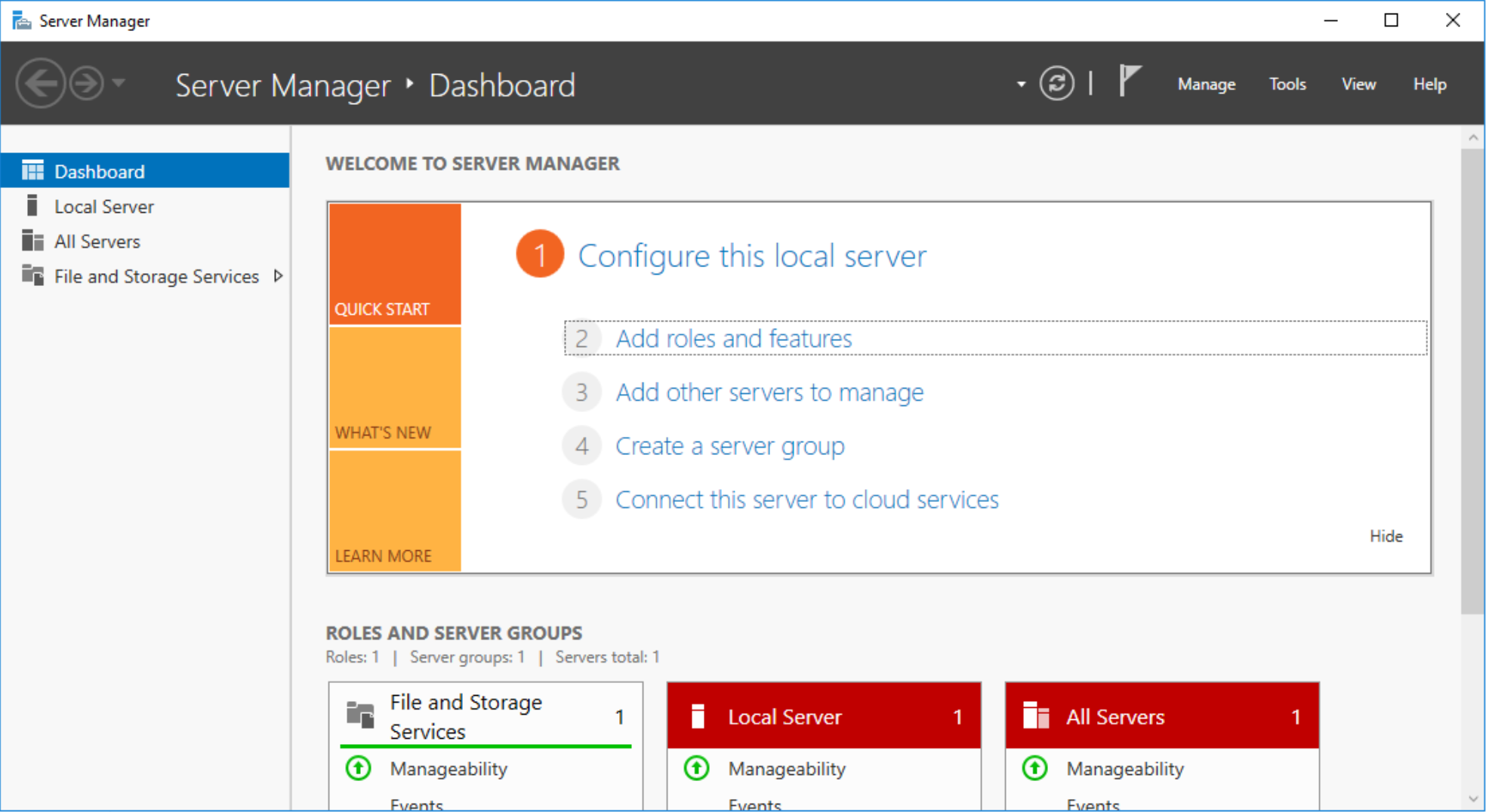
- Open the Windows Server Manager

- Click on the Add roles and features option
- Click on Next >
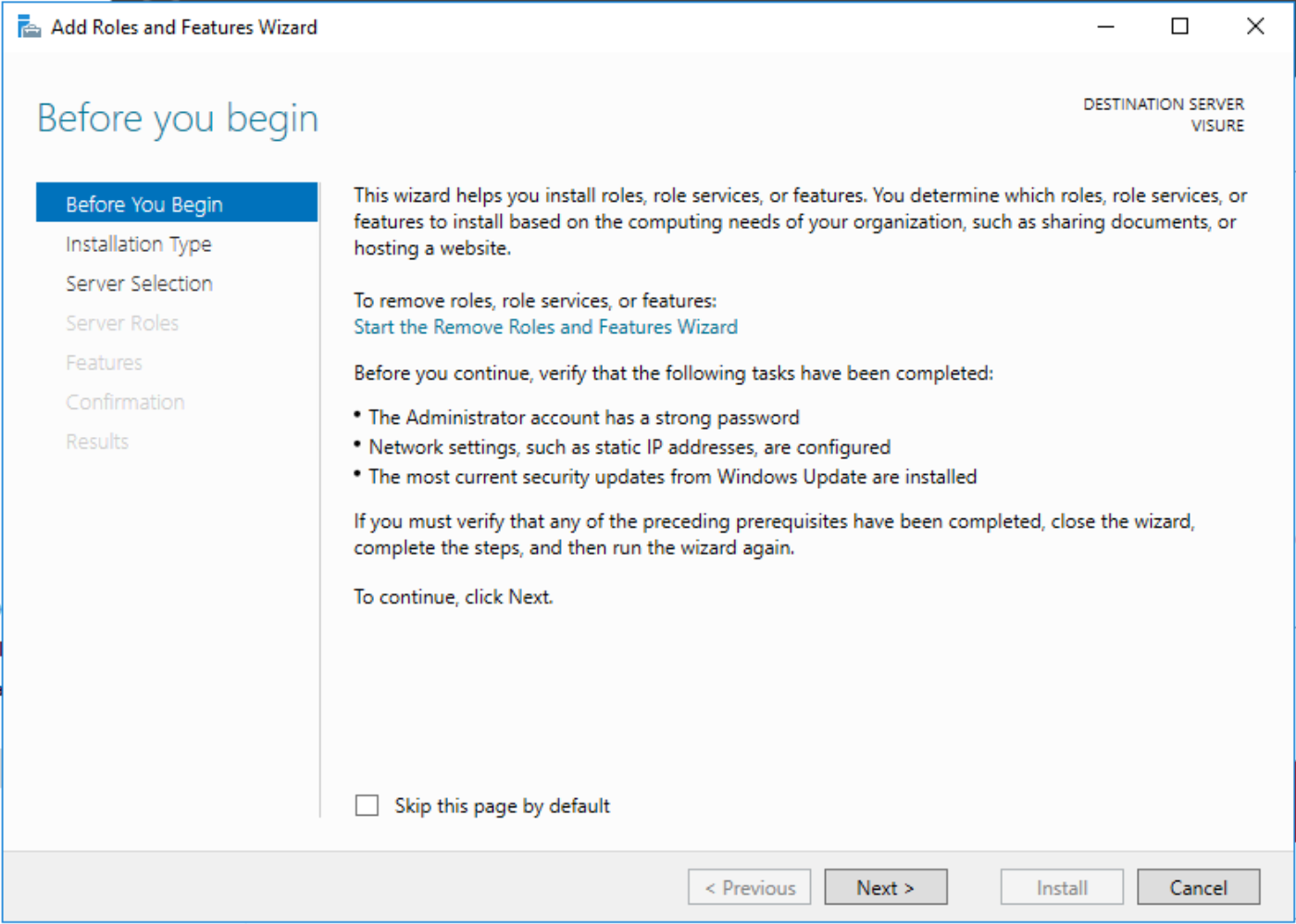
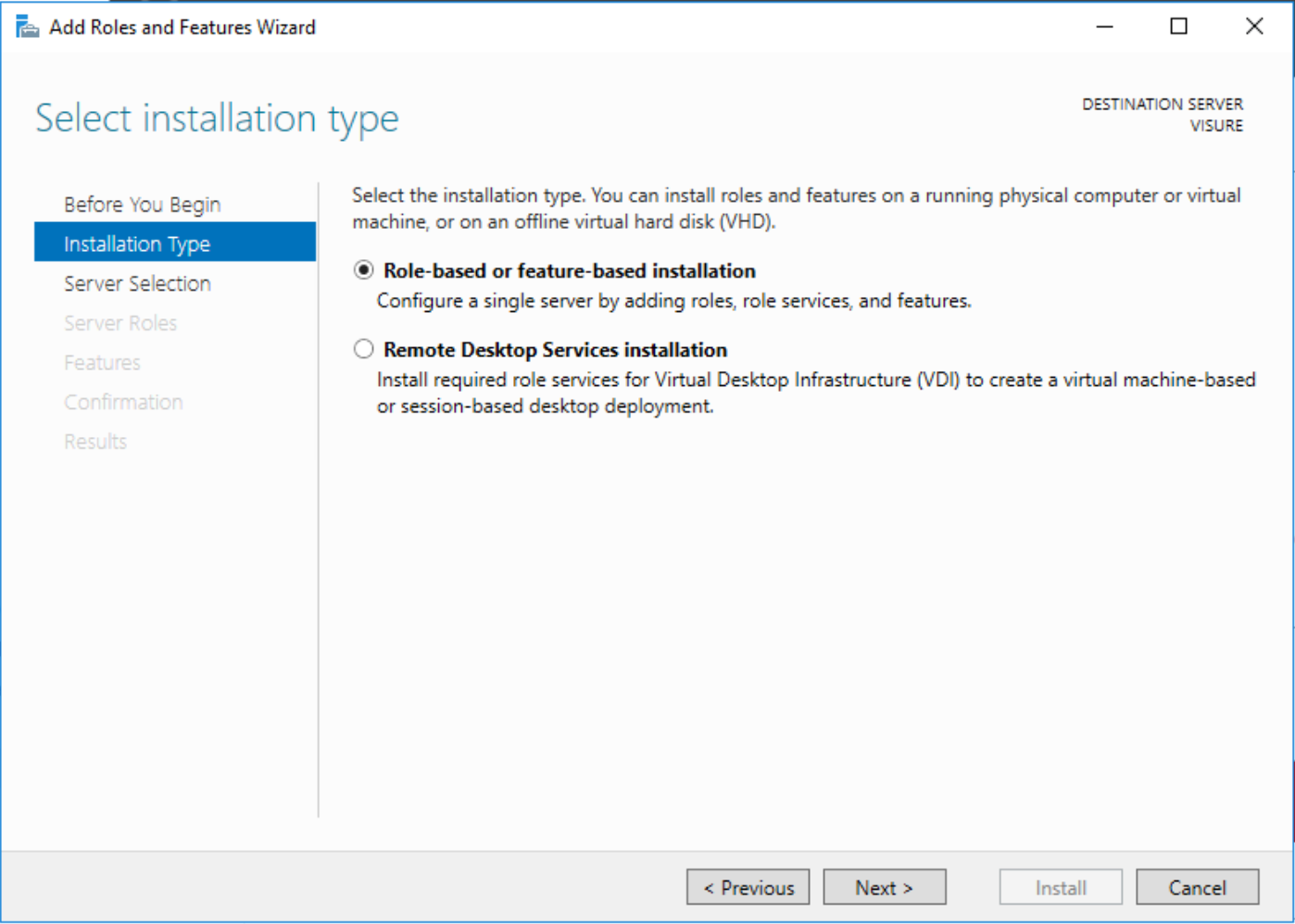
- Select the Role-based or feature-based installation option and click on Next >
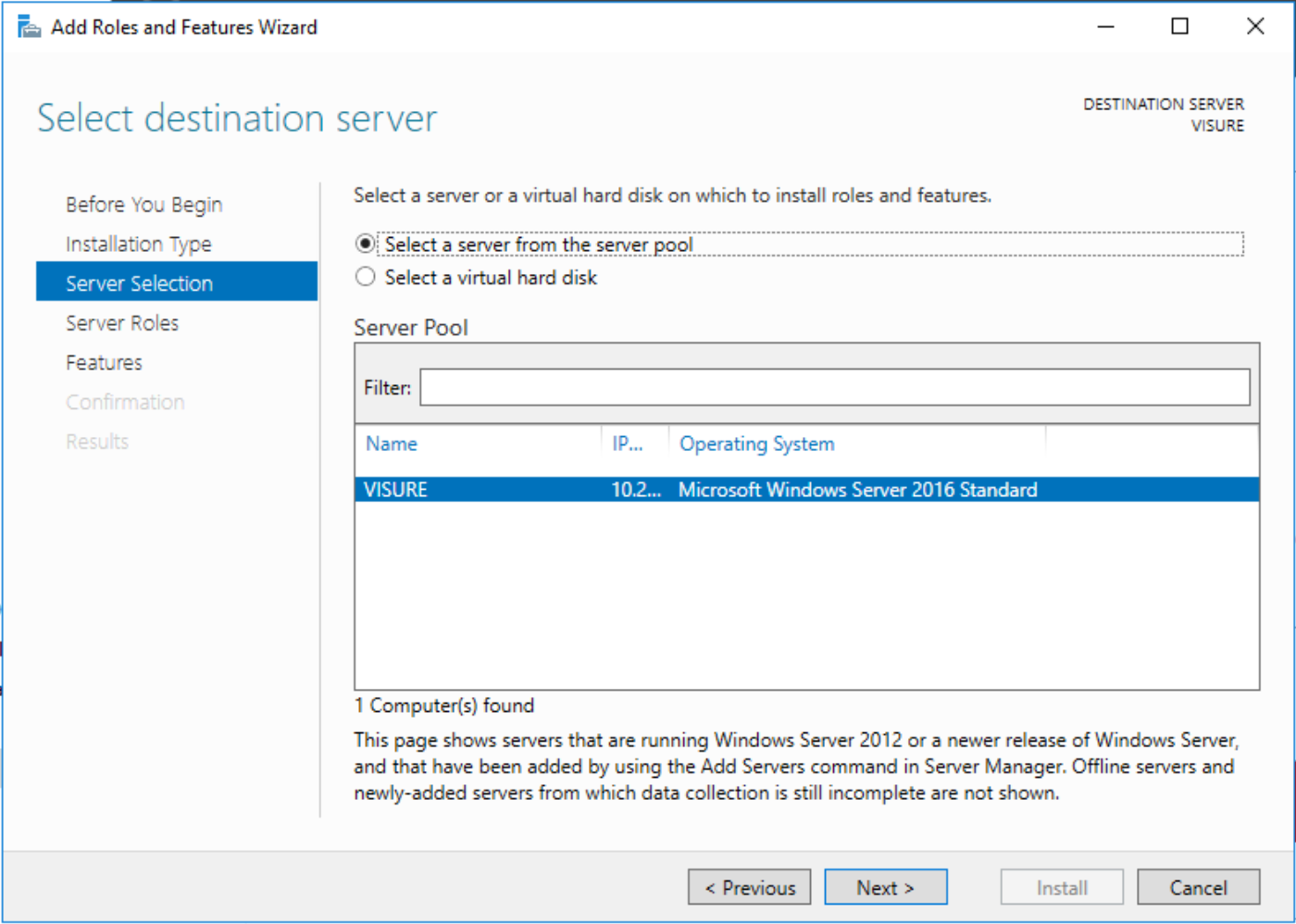
- Select the Select a server from the server pool option, select the corresponding server and click on Next >
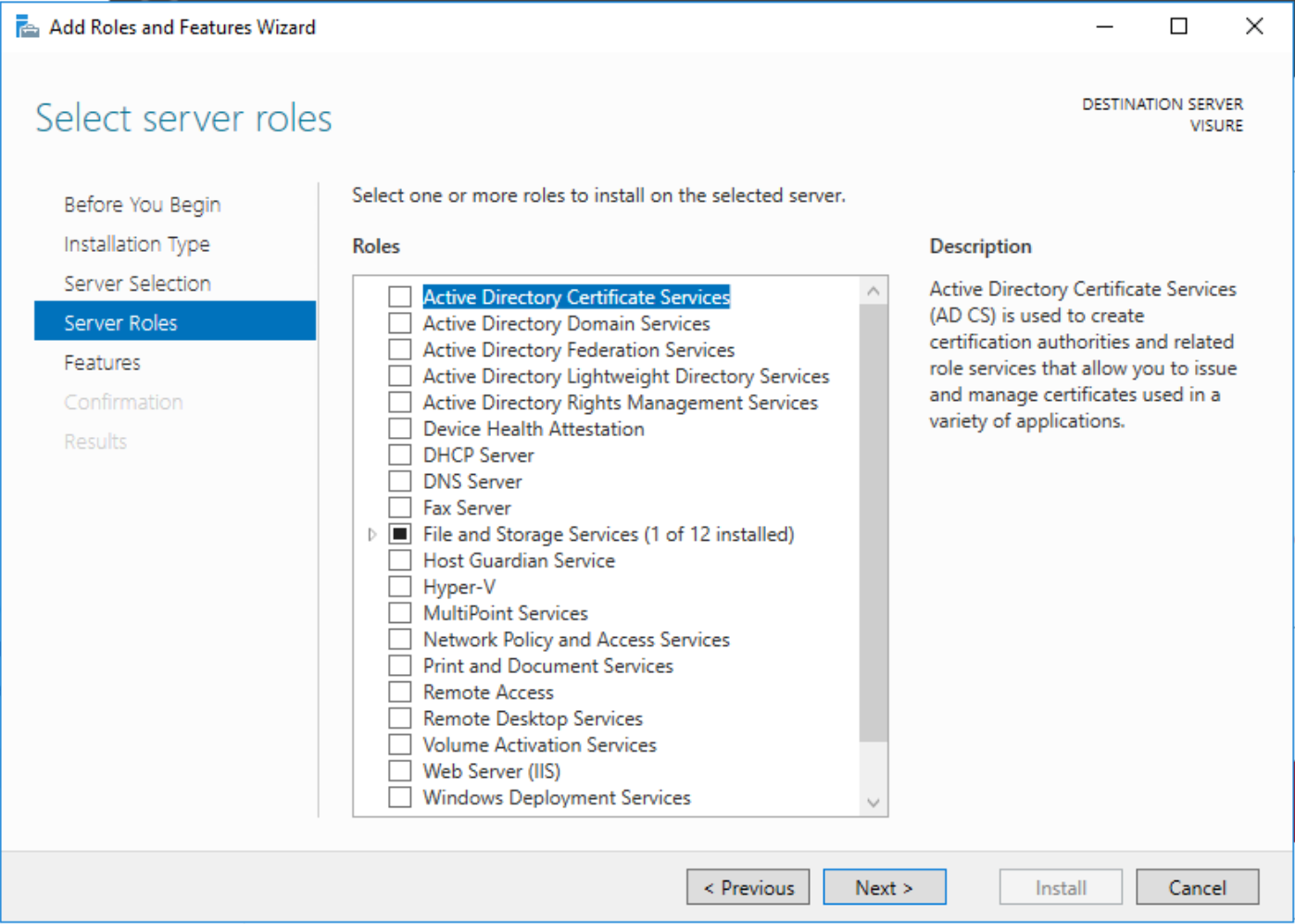
- Do not select any additional roles from the list and click on Next >
- Select the .NET Framework 3.5 (includes .NET 2.0 and 3.0) option inside .NET Framework 3.5 Features and click on Install
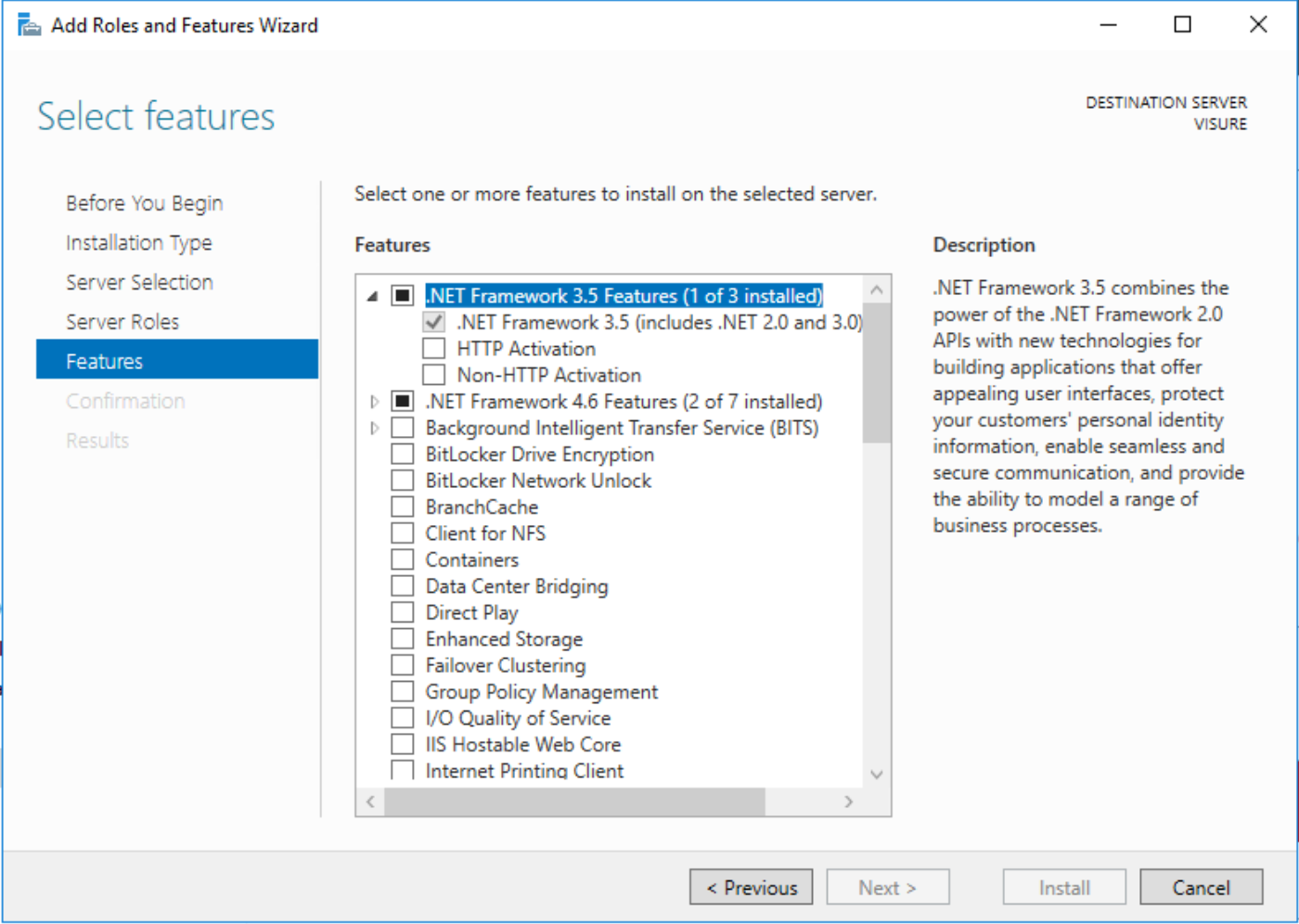
- Close the Server Manager and try installing the Visure Report Manager again
Comments
0 comments
Please sign in to leave a comment.