
SQL Express does not include the option for maintenance plans, however database maintenance scripts can be included in a scheduled task:
First, we will modify the scripts to tailor them to our own database. Edit recreate_indexes script file, and replace "DB_NAME" parameter with the name of the Visure database name in your environment. This name is the name chosen by your database administrator at the moment of database creation.
Second, we will create the 2 bat files that invokes the sql files, the content of each one should be:
RecreateIndexes.bat:
sqlcmd -S HOSTNAME\SQLEXPRESS -i "C:\helpdesk\sql scripts\1-SQL_Recreate_Indexes.sql"
UpdateStatistics.bat:
sqlcmd -S HOSTNAME\SQLEXPRESS -i "C:\helpdesk\sql scripts\2-SQL_Update_Statistics.sql"
Launch Windows Task Scheduler (Control Panel/Administrative Tools/ Task Scheduler):

Click on Create Task:

Give a name to the new Task and click on actions:
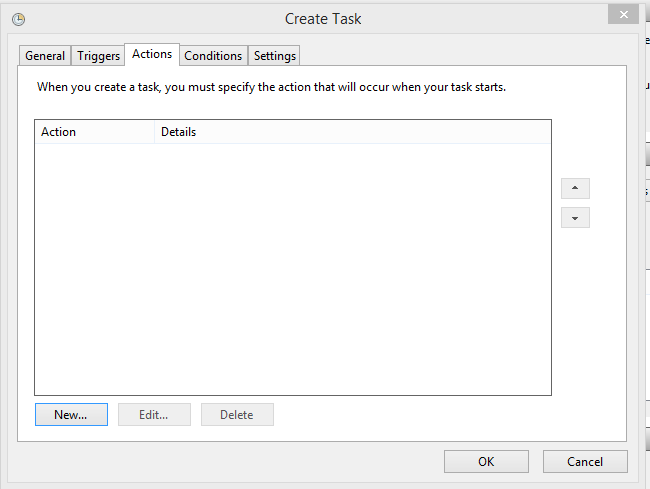
Add 2 actions selecting the 2 bat files created at the beginning of this article by clicking on "Browse":

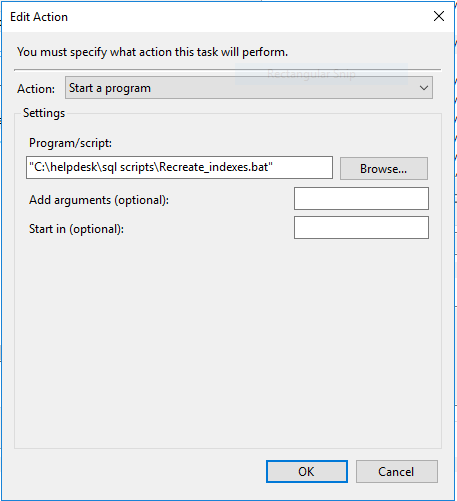
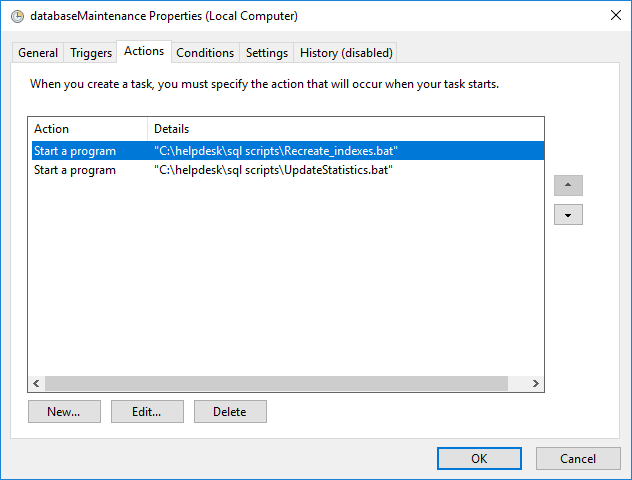
The result should look like this:
Now we will determine when the scripts will be executed, for this purpose click on Triggers tab:

Clicking on New we can select how often the scripts will be executed and what time, for example every Sunday at 15:22:
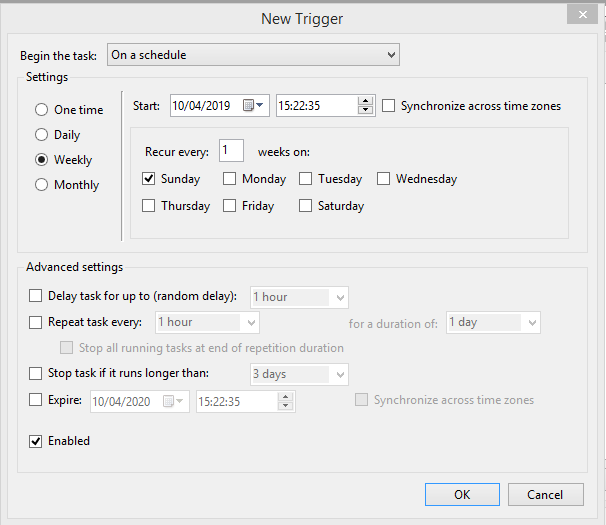
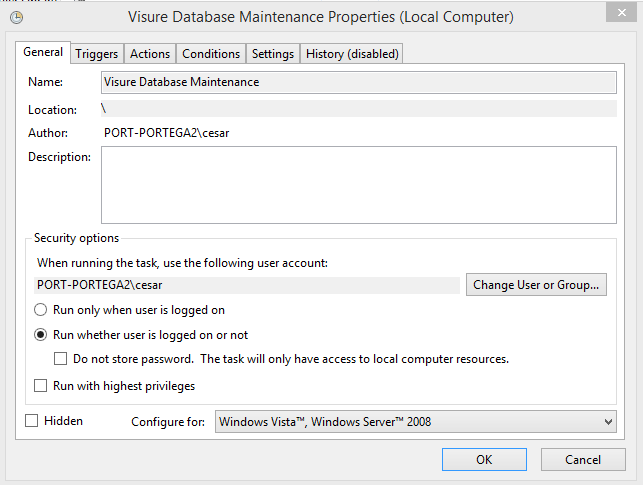
Click on ok and select "Run whether user is logged or not :
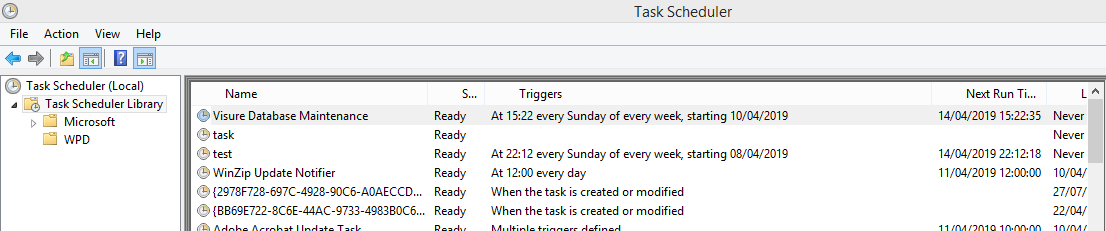
And check the tasks library for ensure the new task is there:
Comments
0 comments
Please sign in to leave a comment.