
When you need to share a copy of your project, but the data on it is confidential, Visure offers a way to provide the project with its characteristics but changing real information by fake characters.
Follow the steps below to generate a project template without real and confidential information:
1-Create a shortcut to VisureRequirementsAdmin.exe and modify the target field adding the suffix "/visure":
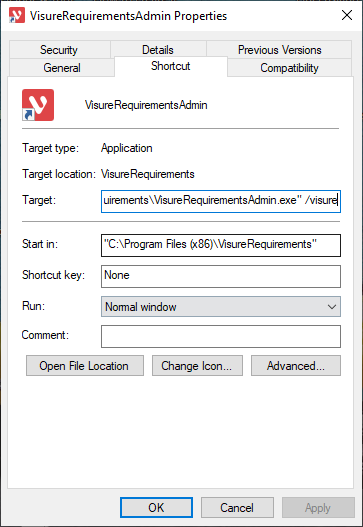
2-Then open the database with the shortcut generated before, select the corresponding project and click on "create template":
3-After selecting the folder to save the file, you will be requested to introduce Test Data:
4-Answer "Yes" and the real information of the project will be substituted by fake characters, resulting a project like this after restored:
Comments
0 comments
Please sign in to leave a comment.