
When you install Visure Requirements and get a message like:
"Your user license is no longer valid"
"There was an error connecting to the Visure License Server.
Please check that you have a valid connection with the server."
You should check that LMX License Server is up and running, for this launch LM-X License Server client, and ensure that the correct url is specified on the license server url text box:
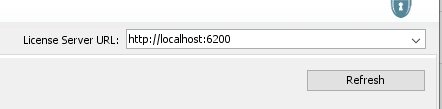
You can make this url permanent by specifying it on LM-X Configuration tool available at Start/Programs / X Formation:
Select the tab "Client Application License Path"
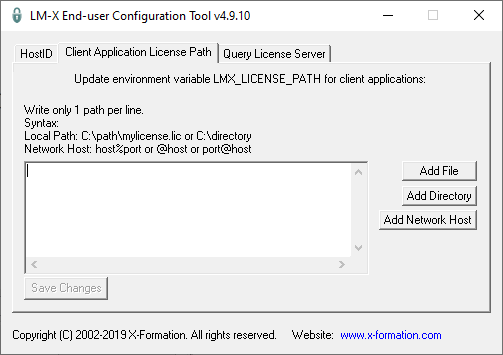
Click on "Add Network Host" and introduce the url and port (by default 6200):
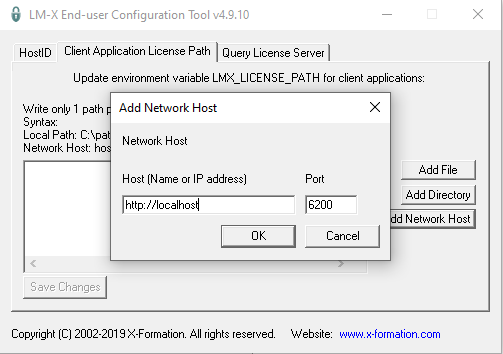
Finally, on LM-X License Server Client restart the license server introducing the default Admin password "MyPassword123"
Comments
0 comments
Please sign in to leave a comment.